AI Professional Headshot Generator
Upload one photo to create a headshot for a work profile, résumé or team page. Add a note to choose the outfit, background or lighting.
Examples you can make
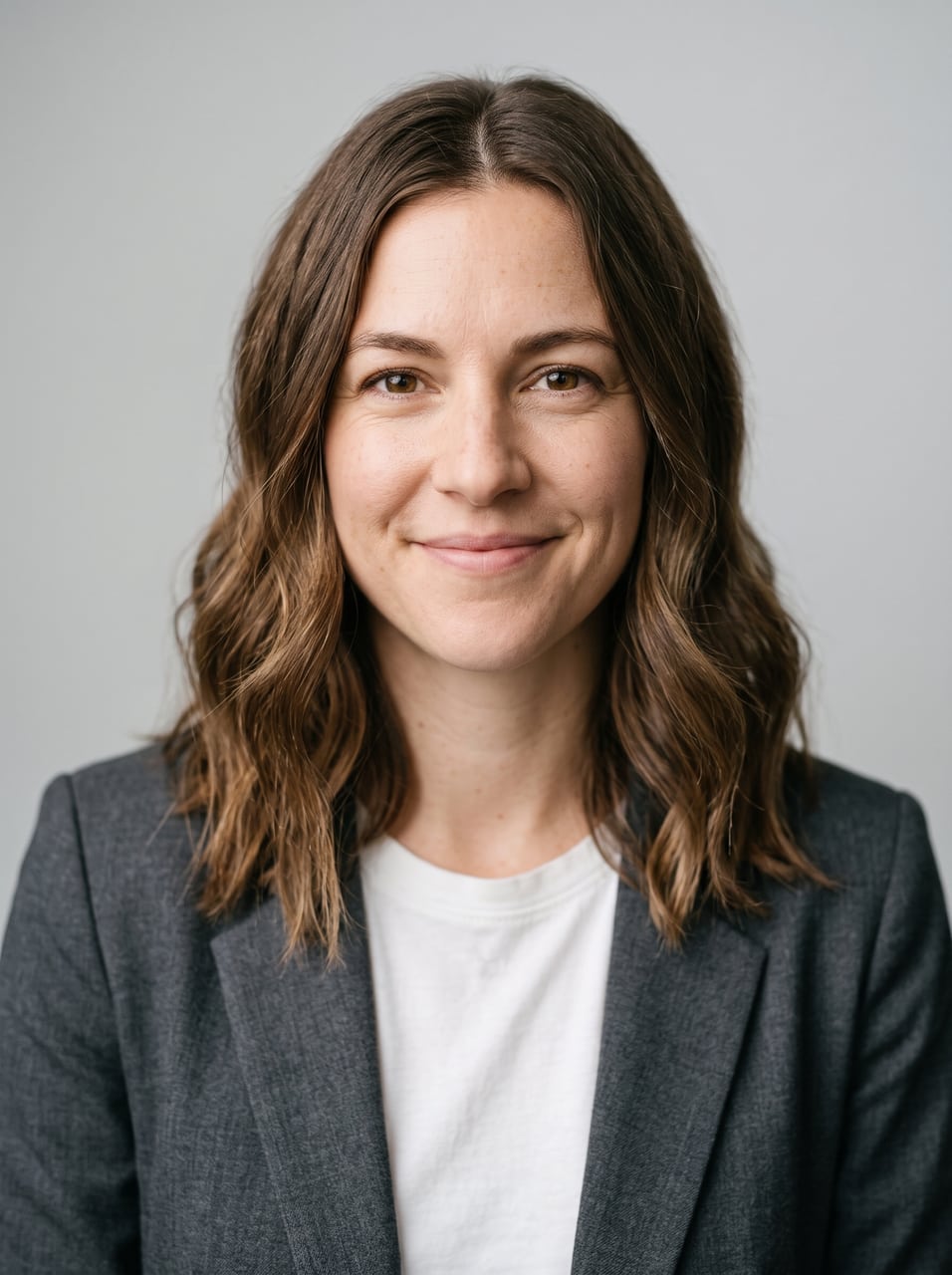
Classic studio
A charcoal blazer, soft studio light and a neutral gray backdrop
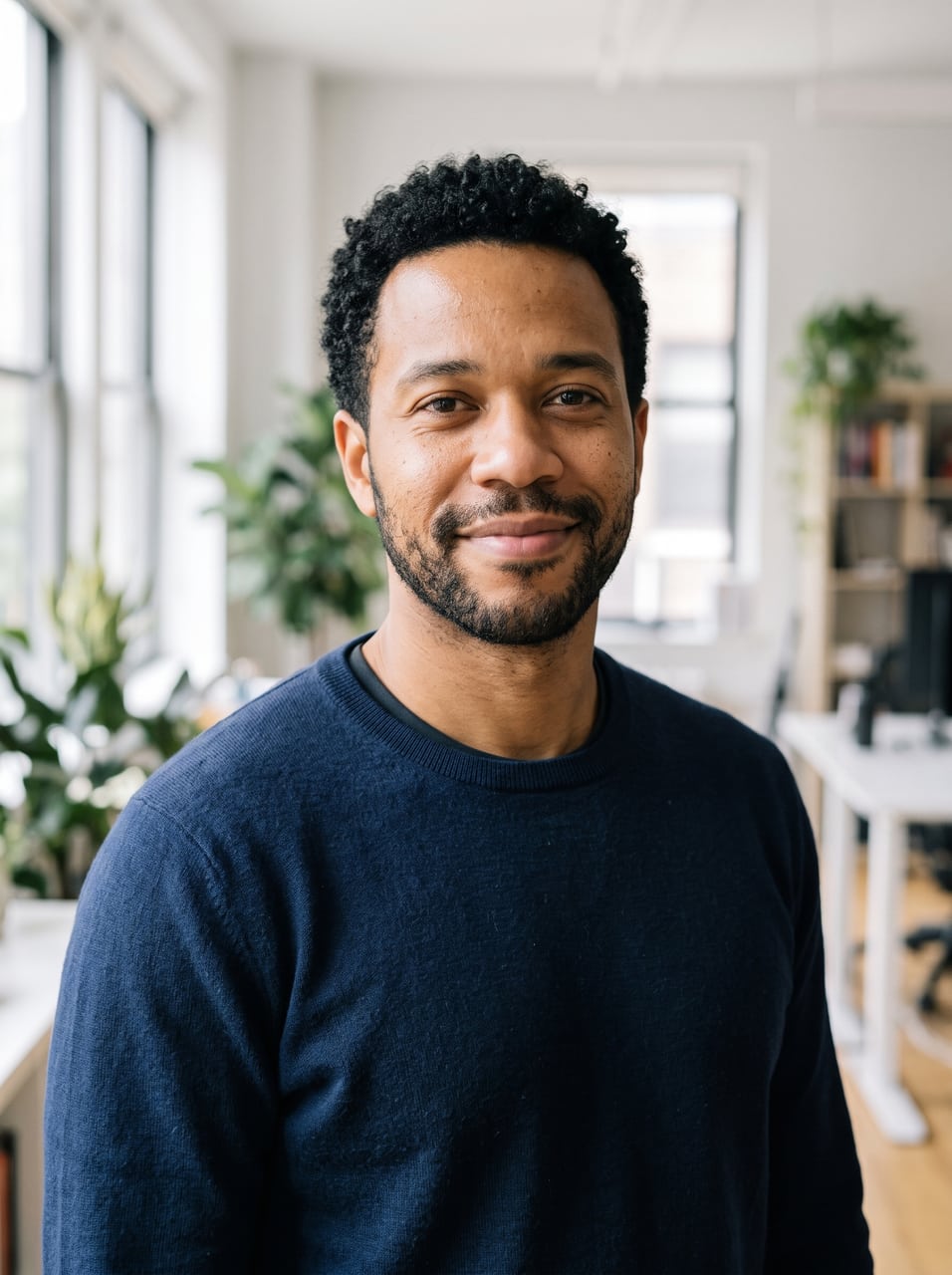
Office portrait
A navy sweater and soft window light in a bright office
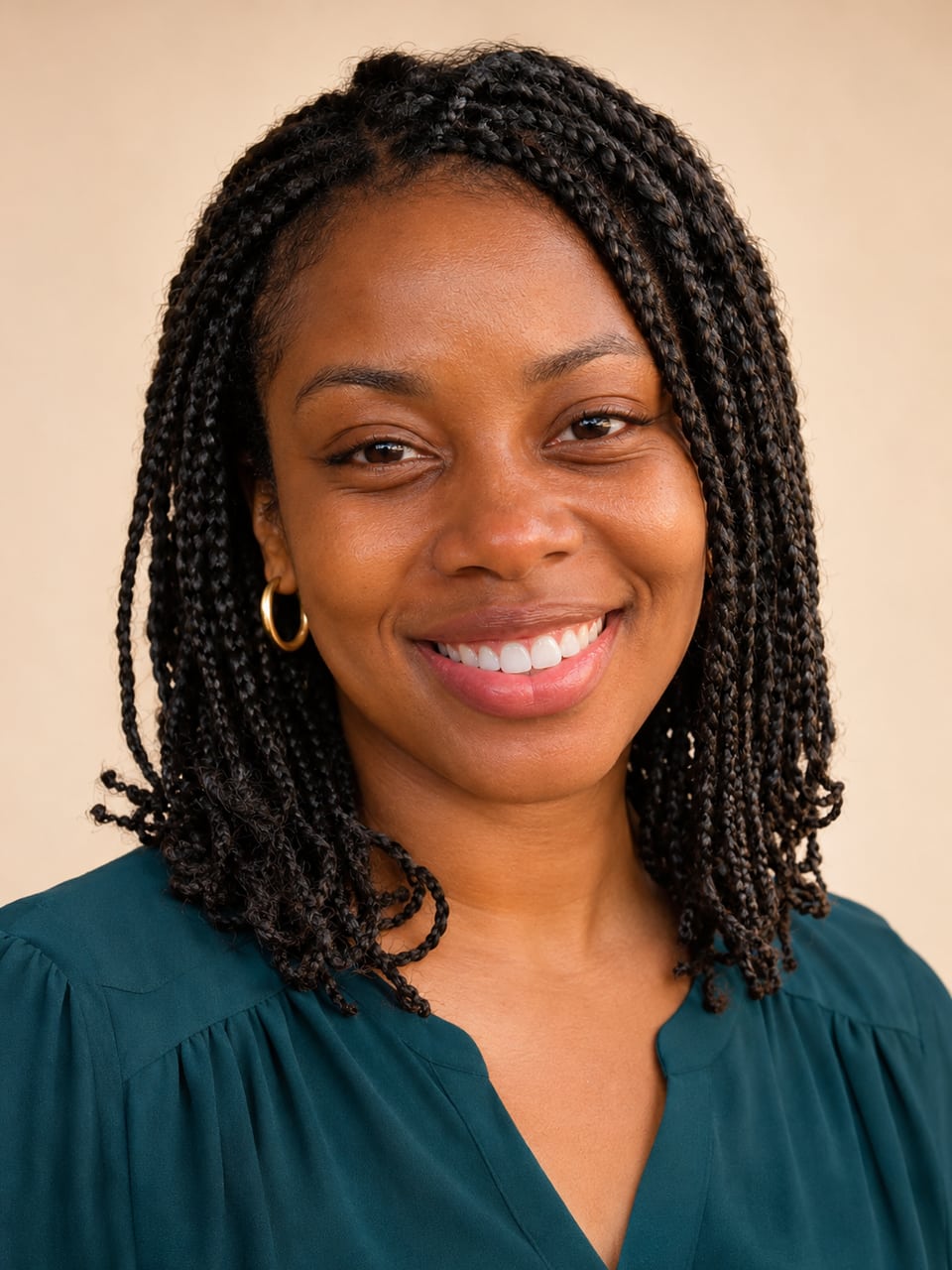
Warm studio
A teal blouse against a warm cream backdrop
What is professional headshot?
The headshot effect reframes a casual photo around your face and shoulders, with even lighting and a simple background. It keeps your features recognizable while changing how the portrait is styled.
A neutral studio look works for a team page or résumé. For a more relaxed profile photo, ask for a sweater and a softly lit office.
Frame your face
Get a head-and-shoulders crop with space above your head for a profile crop.
Keep your features
The edit uses your face, hairstyle and skin tone as the reference for the portrait.
Choose the setting
Use the optional note to specify an outfit, background color or lighting style.
Download your portrait
Save the headshot as a JPG or find it later in Assets.
How to use professional headshot
- 1
Choose a clear portrait
Upload a photo of one adult with a well-lit, unobstructed face.
- 2
Describe the look
For a specific setting, name an outfit and a backdrop in the optional note.
- 3
Generate your headshot
Review the portrait and download it from the result panel or Assets.
Notes you can try
Classic studio
Use a charcoal blazer and a light gray studio backdrop
Natural office light
Use a navy sweater, soft window light and a gently blurred office backdrop
Warm studio portrait
Use a deep teal blouse and a warm cream studio backdrop
Tips for better results
- 1
Use a photo taken at eye level so the face is easy to recognize.
- 2
A sharp photo with even light gives the effect a clearer reference.
- 3
Match the outfit and background to existing photos if you are adding it to a team page.
- 4
Review the finished portrait at a small size before using it as an avatar.
Professional Headshot FAQ
Can I use a selfie to generate a professional headshot?
Yes. Choose a sharp selfie where your face and shoulders are visible and evenly lit.
Can I keep my glasses and hairstyle?
Ask to keep your glasses, hairstyle or another recognizable detail in the optional note.
How do I pick a headshot background?
Name the color or setting in the note, such as a light gray studio or a bright office.
Can I generate a matching set for a team?
Generate one photo per person and reuse the same outfit, background and lighting notes.
Which files can I use for a headshot?
Upload a JPG, PNG or WebP up to 10 MB. Use a photo of yourself or an adult who agreed to the edit.
How many credits does a headshot cost?
One headshot costs 3 credits. A failed generation returns those credits automatically.